CKAD: First Mock Challenge
- 2 mins read
What is CKAD for?
A certified Kubernetes Application Developer (CKAD) can design, build and deploy cloud-native applications for Kubernetes. He can define application resources and use Kubernetes core primitives to create/migrate, configure, expose and observe scalable applications. CKAD certificate is valid for two years.
Any successful candidate will be comfortable:
- working with (OCI-compliant) container images
- applying Cloud Native application concepts and architectures – working with and validating Kubernetes resource definitions
I’m currently preparing for my Certified Kubernetes Application Developer (CKAD). This free challenge is from the kodecloud.com.
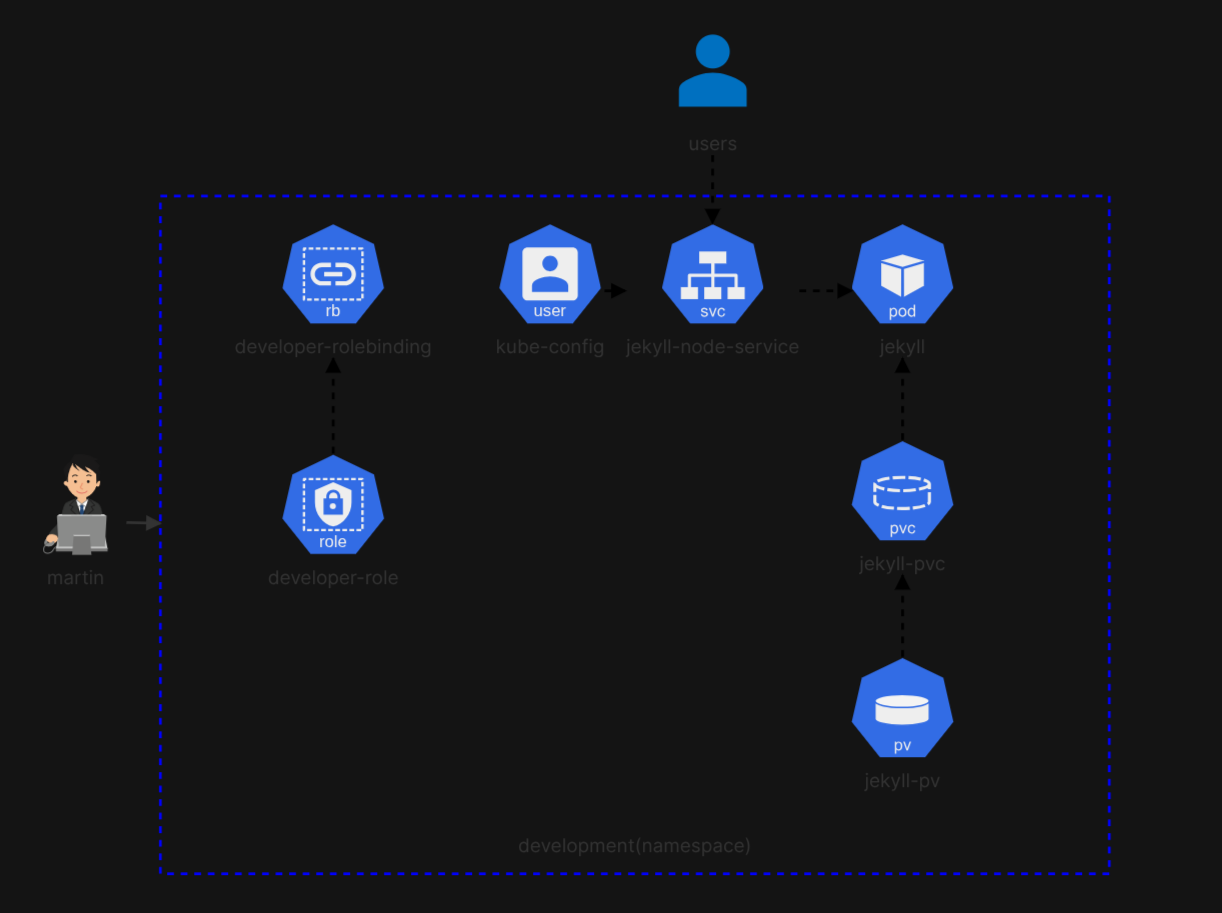
User Credentials
kubectl config set-credentials martin --client-key martin.key --client-certificate martin.csr
User "martin" set.

kubectl config set-context developer --user martin --cluster kubernetes
Context "developer" created.

kubectl create role developer-role --verb="*" --resource=pods,services,persistentvolumeclaims -n development
role.rbac.authorization.k8s.io/developer-role created

kubectl create rolebinding developer-rolebinding --role=developer-role -n development --user martin
rolebinding.rbac.authorization.k8s.io/developer-rolebinding created
service.yaml
apiVersion: v1
kind: Service
metadata:
  labels:
    run: jekyll
  name: jekyll-node-service
  namespace: development
spec:
  ports:
    - port: 4000
      protocol: TCP
      targetPort: 4000
      nodePort: 30097
  selector:
    run: jekyll
  type: NodePort
persistent-volume-claim.yaml
apiVersion: v1
kind: PersistentVolumeClaim
metadata:
  name: jekyll-site
  namespace: development
spec:
  accessModes:
    - ReadWriteMany
  resources:
    requests:
      storage: 1Gi
  storageClassName: local-storage
pod.yaml
apiVersion: v1
kind: Pod
metadata:
  name: jekyll
  namespace: development
  labels:
    run: jekyll
spec:
  volumes:
    - name: site
      persistentVolumeClaim:
        claimName: jekyll-site
  initContainers:
    - name: copy-jekyll-site
      image: gcr.io/kodekloud/customimage/jekyll
      command:
        - "/bin/sh"
        - "-c"
        - "rm -rf /site/* && jekyll new /site && cd /site && bundle install"
      volumeMounts:
        - name: site
          mountPath: /site
  containers:
    - name: jekyll
      image: gcr.io/kodekloud/customimage/jekyll-serve
      command:
        - "/bin/sh"
        - "-c"
        - "cd /site && bundle install && bundle exec jekyll serve --host 0.0.0.0 --port 4000"
      volumeMounts:
        - name: site
          mountPath: /site
Check configuration
Once finished, click Check button to test configuration. A working solution will look like this
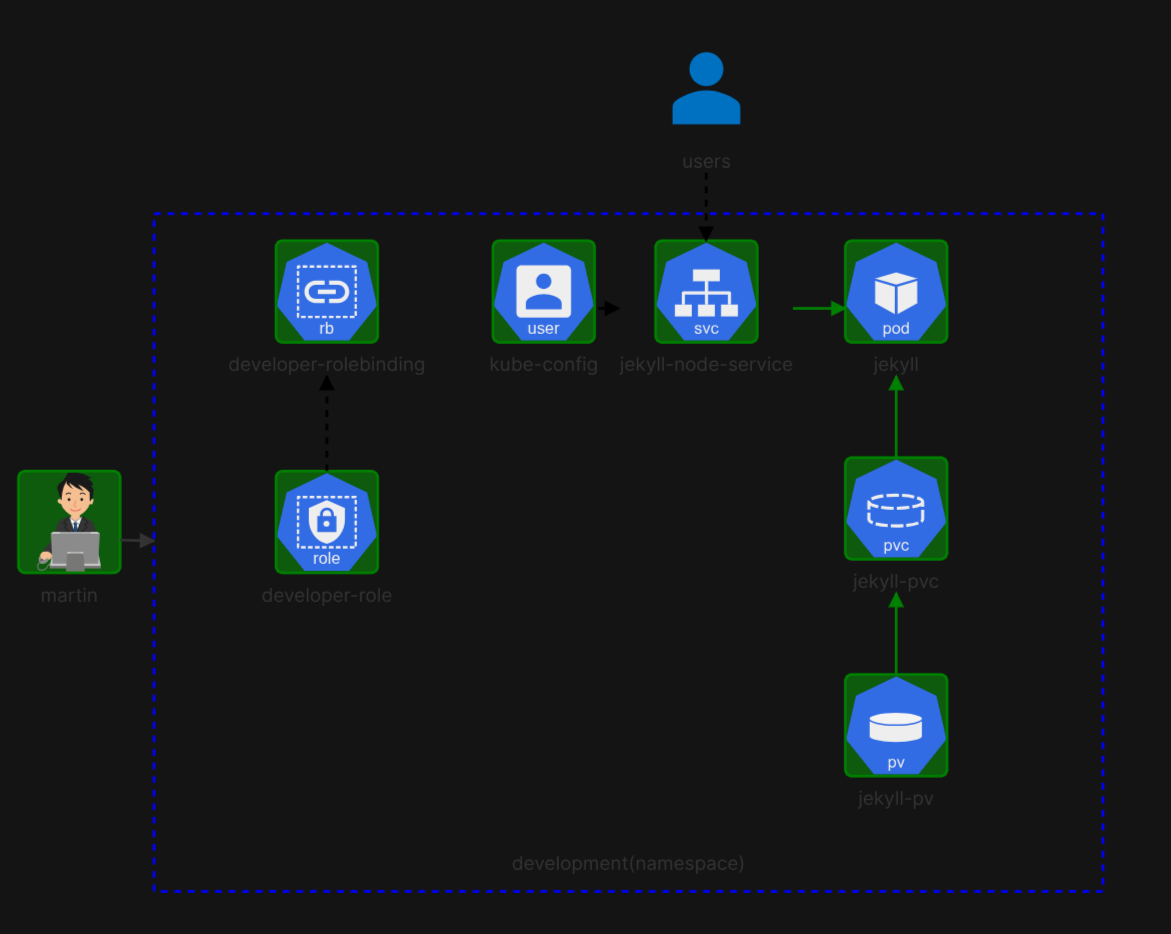
You should be able to access the worker node.
controlplane ~ ➜  curl http://node01:30097
<!DOCTYPE html>
<html lang="en"><head>
  <meta charset="utf-8">
  <meta http-equiv="X-UA-Compatible" content="IE=edge">
  <meta name="viewport" content="width=device-width, initial-scale=1"><!-- Begin Jekyll SEO tag v2.9.0 -->
<title>Your awesome title | Write an awesome description for your new site here. You can edit this line in _config.yml. It will appear in your document head meta (for Google search results) and in your feed.xml site description.</title>
<meta name="generator" content="Jekyll v4.3.4" />
<meta property="og:title" content="Your awesome title" />
<meta property="og:locale" content="en_US" />